 Free shipping over £99


Keyboard Case Pad Plus 2023 11.5 Inch Detachable Keyboard Cover Tab P11 2nd Gen 11.5” TB-350FU
Price range: £18.82 through £22.95
- 1. The Keyboard Case Pad Plus 2023 11.5 Inch is a sleek and versatile accessory that combines the convenience of a detachable keyboard with the protection of a durable cover. Compatible with most tablets, this case is perfect for working on-the-go.
- 2. Transform your Tab P11 2nd Gen 11.5″ TB-350FU into a productivity powerhouse with the Detachable Keyboard Cover. This innovative accessory offers a seamless typing experience and ensures that your tablet is always secure and protected.
- 3. Stay organized and efficient with the Keyboard Case Pad Plus 2023 11.5 Inch. This sleek and stylish accessory features a detachable keyboard that allows for easy typing and a secure cover that keeps your tablet safe from scratches and damage.
- 4. Elevate your tablet experience with the Tab P11 2nd Gen 11.5″ TB-350FU and its compatible Detachable Keyboard Cover. This high-quality accessory offers a comfortable typing experience and stylish design, making it a must-have for anyone on-the-go.
- 5. The Keyboard Case Pad Plus 2023 11.5 Inch combines functionality and style in one convenient accessory. Compatible with a wide range of tablets, this detachable keyboard cover is perfect for professionals, students, and anyone looking to enhance their tablet experience.
Please confirm your machine model before purchasing~ Pad Plus 2023 11.5 Inch( Tab P11 2nd Gen 11.5 inch TB-350FU)Tablet.
Please note
English keyboard:There are only English letters on the keyboard.
Multilingual version keyboard:English letters and engraved language letters together.
No Touchpad Keyboard size:10inch(247*150*6mm).Touchpad Keyboard size:10inch(250*170*6mm).
Note:The digital tablet and stylus are not included in the package. The detailed description is reference only. Please refer to the actual product the color of the product.
How to connect keyboard & Mouse?
1,Connect the mouse first, then connect the keyboard.
2,Mouse:Push the switch to the “Bluetooth” icon, find the Bluetooth connection with “Mouse” in the device Bluetooth list.
3,Normal Keyboard:Push the switch in the upper right corner to “ON”, press “Connect”, and find the Bluetooth connection with “Keyboard” in the device Bluetooth list.
4,Touchpad Keyboard:turn on keyboard ,press Fn+C to,then find the Bluetooth connection with “Keyboard” in the device Bluetooth list.
FAQ
Q:What should I pay attention to when connecting the mouse the first time?
A:When the mouse is connected the first time, you need to press the left button, the right button and the scroll wheel at the same time about 3-5 seconds.
Q: Is the scroll direction of the mouse USB connector and Bluetooth connection the same?
A: No, they are different. When using the USB connector, the scroll wheel slides in the same direction as the computer mouse. Bluetooth connection is the opposite.
Q: How to switch between different systems?
A: Fn+Q=Android, Fn+W=Windows, Fn+E=IOS.Please note that please switch the system before connecting the tablet.
Q:The bluetooth keyboard letters are messy?
A: Please check the settings according to the prompts,a. Check whether the keyboard language set on the device is English.b. Disconnect the keyboard Bluetooth, click Ignore the connected device, reopen the Bluetooth keyboard, select system, Fn+E (IOS system).Note: Fn+Q=Android, Fn+W=Windows, Fn+E=IOSc. Press the L S Z buttons at the same time to reset the keyboard
Q:How to configure the input method different languages keyboard?
A:Take the tablet as example,open “Settings–“ystem”–“Language & input”–“Add Keyboard”. ( systems, please set them in the system settings according to the tips of the example.)
Q:How does the mouse change teh scroll wheel sliding direction on the device?
A: The mouse is connected, open “General” – “Trackpad & Mouse” – close “Natural Scrolling”.
- Brand: en
| count | arabickeyboard, englishkeyboard, frenchkeyboard, germankeyboard, hebrewkeyboard, koreankeyboard, portugueselayout, russiankeyboard, spanishkeyboard, turkishkeyboard |
|---|---|
| actual_color | blacka, blackb, blackc, blackd, bluea, darkgreenc, darkgreend, greena, greenb, greenc, greend, pinka |
You may also like…


NBD Digital 4K Ultra HD 48MP All-in-One Vlogging Camera with Wide Angle Lens, Digital Zoom 16x and 3″ Screen:
- Digital 4K Ultra HD 48MP camera
- Vlogging camera with wide angle lens
- Digital zoom 16x
- 3″ Screen
- Compact size
- All-in-one digital camera


About this item
- Versatility Bottom: with 1/4″ screw hole, can be used with the removable 1/4″ hot shoe adapter (Package Includes) Top With 1/4″ screw, widely applicate for camera ,flash light, light stand, tripod etc. The combination of this mini ballhead and other light stands can be used as a Vive stand. Note: This package not includ light stand.
- Multi-angle Use 360 degree panoramic rotation; 90 degree tilt rotation; Ball head diameter is about 23mm, and it can be fixed easily by locking knob for meeting different shooting angle.
- With Locking Knob Aiming and horizon leveling can be easily accomplished. You also can use the knob to adjust to the desired angle to meet your needs at different angles.
- Max Weight Capacity 5.5lb weight capacity; Material: plastic+metal; With rubber-padded mount on the top to protect your camera from potential scratches between your camera and the mounting part.
- Light Weight & Portable Weight: 0.18lb(85g) / Pc; Size 2.55in*0.67in*0.67in (65*17*17mm / Pc, small size and lightweight, easy to carry. Package includes:2 Pack mini ball head; 2* removable 1/4″ hot shoe adapter.


- Digital Stereo Sound: Fine-tuned drivers provide enhanced digital audio for music, calls, meetings and more
- Rotating Noise Canceling Mic: Minimizes unwanted background noise for clear conversations; the rotating boom arm can be tucked out of the way when you’re not using it
- Handy In-line Controls: Simple in-line controls on the headset cable let you adjust the volume or mute calls without disruption
- Plug-and-Play USB Computer Headset: Simply plug the USB-A connector into your computer and you’re ready to talk or listen without the need to install software
- Padded Comfort: Comfortable headphones with adjustable headband features swivel-mounted, leatherette ear cushions for hours of comfort and is easy to clean
- Move Freely With Long Cable: The 6.23 ft (1.9 m) USB A cable is just the right length to give you the freedom to stand up and stretch during long conversations
- Works With Chromebook: H390 headphones are tested and certified, which means it meets Google’s compatibility standards and works seamlessly with your Chromebook
- Sustainable Design: Plastic parts in H390 Logitech Headset includes post-consumer recycled plastic (23%*); uses FSC-certified paper for responsible packaging
![3Pack Long Lightning Charger Cables (3/6/6ft), Nylon Fast Lightning Charging Cord Compatible with iPhone 13/13 pro/12/11/11 Pro/X/Xs Max/XR [Apple MFi Certified], Red](https://image.icusmartsolutions.co.uk/wm/3/3Pack-Apple-MFi-Certified-iPhone-Long-Lightning-Charger-Cables-3-6-6ft-Nylon-Fast-Charging-Cord-Compatible-13-13-pro-12-11-11-Pro-X-Xs-Max-XR-iPad-Ai_18c89bcb-73ec-4c61-9057-190542a179e7.4088efc37687a254b4fa5a49396deeac.jpeg)

- Model: IphoneUSB
- Brand: Cshidworld
- Connector Type: Lightning
- Cable Length: 78.74 in
- Compatible Brands: Apple
- Manufacturer Part Number: IphoneUSB
- Assembled Product Dimensions (L x W x H): 3.93 x 0.10 x 1.96 Inches
Related Products
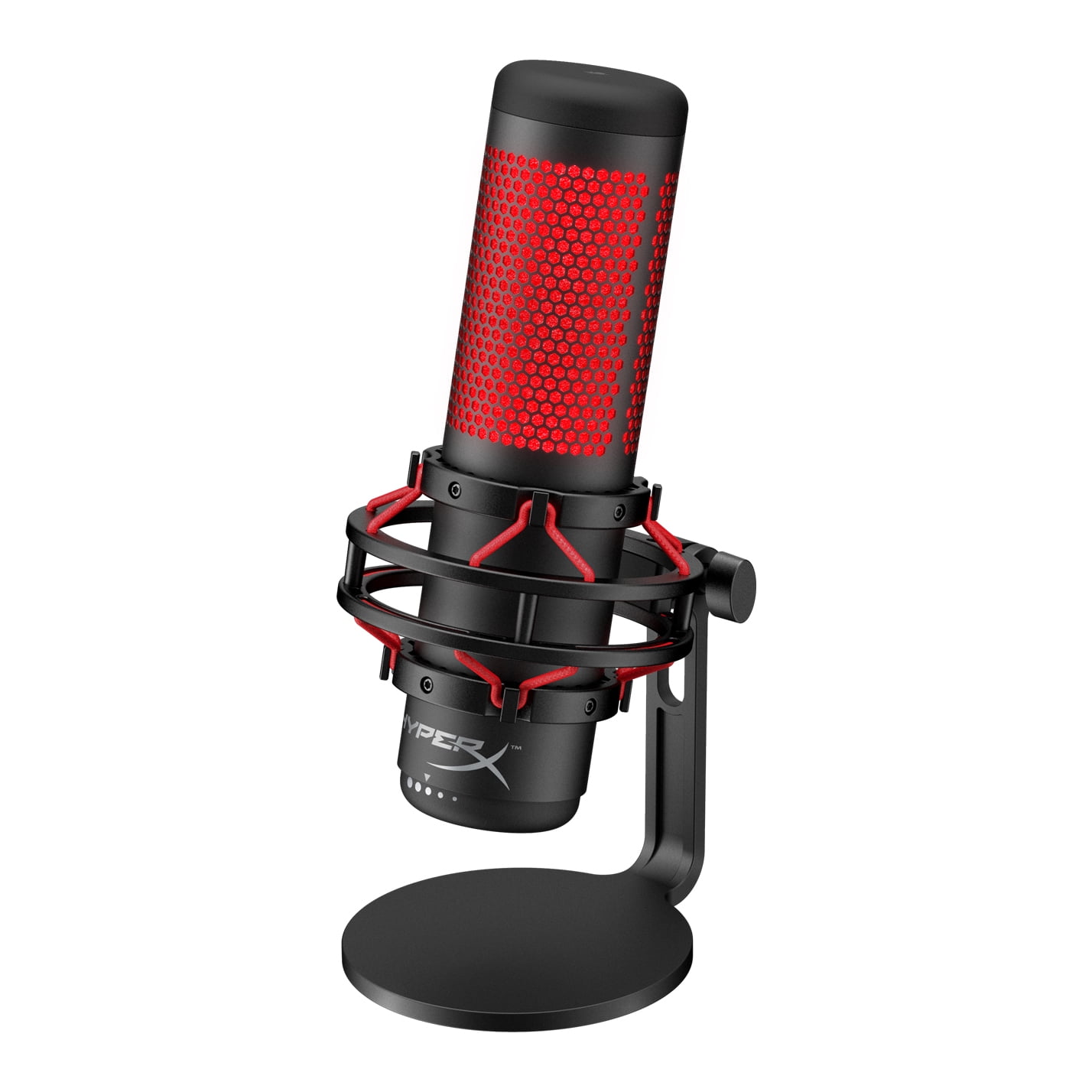

- Manufacturer Part Number: 4P5P6A6#ABA
- Brand: HyperX
- Assembled Product Dimensions (L x W x H): 5.10 x 4.00 x 9.80 Inches


- Brand: HFLRZZ
- Manufacturer Part Number: HB0L20
- Color: Black
- Manufacturer: HFLRZZ
- Assembled Product Weight: 9 oz
- Features: fast charging, foldable
- Compatible Devices: HP Chromebook, HP Elite, HP Pro, HP X2, HP Pavilion x2


Key Features and Benefits:
- JBL Signature Sound
Small in size, but packing serious power, JBL LIVE 300TWS headphones deliver the audio you expect from JBL. - Ambient Aware and TalkThru technology
Control the world around you. Instantly move from absolute music immersion to focus on your surroundings with Ambient Aware. Chat with your friends without removing your headphones with TalkThru. Just swipe on the earbuds to activate them. - Be free with True Wireless
JBL LIVE 300TWS headphones are totally wireless, with nothing to hold you back or tie you down. - Hands-free stereo calls
Wherever you are in the world and whatever you are doing, take your music along for the ride and stay connected with perfect, stereo clear calls with no background noise. Discover total listening freedom with hands-free functionality and no distractions with all-access touch control. - 20 hours of combined playback
Never be without your music. JBL LIVE 300TWS headphones give you 6 hours of playback on a single charge. Pop them into the charging case for an additional 14 hours of listening. Get a one-hour boost in just 10 minutes. - Comfortable and secure fit
Listen all day in complete comfort. JBL LIVE 300TWS headphones have four available sizes of wing fin stabilizers. - Sweat- and water-resistant
Never let bad weather or a tough workout hold you back. JBL LIVE 300TWS headphones are sweat-proof and water-resistant with an IPX5 certification.


- Up to 1440p Resolution at 30 fps
- Built-in adjustable LED ring light
- 3 LED brightness levels with touch control
- 85-degree field of view
- Autofocus
- 5 Megapixel still image resolution
- Built-in microphone
- Adjustable base for wide and narrow monitors/laptop screens
- USB plug and play
- Windows and Mac compatible
- onn. Webcam with Ring Light w/3 LED Levels, Autofocus, Built-in Microphone, White
- What’s in the Box? 1 onn. webcam with attached cord 6 ft (1.8 m)


Ms. Joy Johns II –
Great buy!
[...]