 Free shipping over £99


j5create USB to HDMI Multi-Monitor Adapter
£12.95
j5create JUA254 USB to HDMI Multi-Monitor Adapter:
- Easily add an additional display through the USB 3.0 and HDMI connection
- Video playback performs at 1080p with a resolution of up to 2048 x 1152
- Add an additional monitor without adding an expensive, internal video card, avoiding complicated installation
- Hot swappable USB enables you to add or remove monitors without rebooting your system
- Move and view your large spreadsheets across two screens without overlapping windows
- Multitask with larger landscape/desktop space
- Ideal for viewing multiple windows at the same time
- Great for multitasking in a wide variety of applications including: phone centers, stock markets, hospitals, graphic design, editing, accounting and more
- A must have for surfing the web and working on your email/Facebook/twitter accounts all at the same time
Looking for an easy way to add a second monitor? Let’s get to multitasking! The JUA254 USB to HDMI Multi-Monitor Adapter from j5create works as an external video card, instantly allowing users to attach additional displays via HDMI connection without the hassle of a lengthy setup or having to install additional internal hardware. The j5create USB 3.0 Display Adapter can support up to four displays running on the same computer, turning your workstation into a fully functioning multi-display powerhouse.
- Model: JUA254
- Brand: j5create
- Connector Type: 9 pin USB Type A, 19 pin HDMI Type A, USB, HDMI
- Manufacturer Part Number: JUA254
- Assembled Product Dimensions (L x W x H): 0.98 x 3.74 x 5.71 Inches
You may also like…


NBD Digital Camera 4K Ultra HD 48MP All-in-One Vlogging Camera with Wide Angle Lens, Digital Zoom 16x and 3″ Screen
£52.24
Add to cart
Buy Now
NBD Digital 4K Ultra HD 48MP All-in-One Vlogging Camera with Wide Angle Lens, Digital Zoom 16x and 3″ Screen:
- Digital 4K Ultra HD 48MP camera
- Vlogging camera with wide angle lens
- Digital zoom 16x
- 3″ Screen
- Compact size
- All-in-one digital camera


UTEBIT 2 Pack Mini Ball Head with 1/4″ Hot Shoe Mount Adapter Max Load 5.5lb 360° Swivel Tripod Ball Head for DSLR Camera Camcorder, Light Bracket
£3.87
Add to cart
Buy Now
About this item
- Versatility Bottom: with 1/4″ screw hole, can be used with the removable 1/4″ hot shoe adapter (Package Includes) Top With 1/4″ screw, widely applicate for camera ,flash light, light stand, tripod etc. The combination of this mini ballhead and other light stands can be used as a Vive stand. Note: This package not includ light stand.
- Multi-angle Use 360 degree panoramic rotation; 90 degree tilt rotation; Ball head diameter is about 23mm, and it can be fixed easily by locking knob for meeting different shooting angle.
- With Locking Knob Aiming and horizon leveling can be easily accomplished. You also can use the knob to adjust to the desired angle to meet your needs at different angles.
- Max Weight Capacity 5.5lb weight capacity; Material: plastic+metal; With rubber-padded mount on the top to protect your camera from potential scratches between your camera and the mounting part.
- Light Weight & Portable Weight: 0.18lb(85g) / Pc; Size 2.55in*0.67in*0.67in (65*17*17mm / Pc, small size and lightweight, easy to carry. Package includes:2 Pack mini ball head; 2* removable 1/4″ hot shoe adapter.
![3Pack Long Lightning Charger Cables (3/6/6ft), Nylon Fast Lightning Charging Cord Compatible with iPhone 13/13 pro/12/11/11 Pro/X/Xs Max/XR [Apple MFi Certified], Red](https://image.icusmartsolutions.co.uk/wm/3/3Pack-Apple-MFi-Certified-iPhone-Long-Lightning-Charger-Cables-3-6-6ft-Nylon-Fast-Charging-Cord-Compatible-13-13-pro-12-11-11-Pro-X-Xs-Max-XR-iPad-Ai_18c89bcb-73ec-4c61-9057-190542a179e7.4088efc37687a254b4fa5a49396deeac.jpeg)

3Pack Long Lightning Charger Cables (3/6/6ft), Nylon Fast Lightning Charging Cord Compatible with iPhone 13/13 pro/12/11/11 Pro/X/Xs Max/XR [Apple MFi Certified], Red
Price range: £3.68 through £4.65
Select options
- Model: IphoneUSB
- Brand: Cshidworld
- Connector Type: Lightning
- Cable Length: 78.74 in
- Compatible Brands: Apple
- Manufacturer Part Number: IphoneUSB
- Assembled Product Dimensions (L x W x H): 3.93 x 0.10 x 1.96 Inches


Logitech H390 Wired USB Headset, Stereo Headphones with Noise-Cancelling Microphone, USB, In-Line Controls, PC/Mac/Laptop, Rose (981-001356)
Original price was: £10.00.£9.65Current price is: £9.65.
Select options
- Digital Stereo Sound: Fine-tuned drivers provide enhanced digital audio for music, calls, meetings and more
- Rotating Noise Canceling Mic: Minimizes unwanted background noise for clear conversations; the rotating boom arm can be tucked out of the way when you’re not using it
- Handy In-line Controls: Simple in-line controls on the headset cable let you adjust the volume or mute calls without disruption
- Plug-and-Play USB Computer Headset: Simply plug the USB-A connector into your computer and you’re ready to talk or listen without the need to install software
- Padded Comfort: Comfortable headphones with adjustable headband features swivel-mounted, leatherette ear cushions for hours of comfort and is easy to clean
- Move Freely With Long Cable: The 6.23 ft (1.9 m) USB A cable is just the right length to give you the freedom to stand up and stretch during long conversations
- Works With Chromebook: H390 headphones are tested and certified, which means it meets Google’s compatibility standards and works seamlessly with your Chromebook
- Sustainable Design: Plastic parts in H390 Logitech Headset includes post-consumer recycled plastic (23%*); uses FSC-certified paper for responsible packaging
Related Products


SteelSeries Apex Pro Mini Wireless Mechanical Gaming Keyboard – World’s Fastest Keyboard – Adjustable Actuation – Compact 60% Form Factor – RGB – PBT Keycaps – Bluetooth 5.0 – 2.4GHz – USB-C
Price range: £45.68 through £86.20
Select options
- Manufacturer Part Number: 64842
- Brand: SteelSeries
- Assembled Product Dimensions (L x W x H): 13.00 x 5.00 x 2.00 Inches


Kodak PIXPRO FZ152 16.2 Megapixel Compact Camera, Black
£54.19
Add to cart
Buy Now
- Features: Face Detection
- Brand: Kodak
- Number of Megapixels: 16 MP
- Camera Lens Type: Wide-Angle Zoom Lens
- Display Resolution: 1920 x 1080
- Maximum Aperture: f/3.3
- Flash Type: Pop-up Flash
- Maximum Shutter Speed: 30 s
- Digital Zoom: 4x
- Memory Card Type: SD, SDHC
- Minimum Shutter Speed: 0 s
- Focal Length: – 0.17″ to 2.54″
- Screen Size: 3 in
- Self-Timer Delay: 0
- Resolution: 720p
- Manufacturer Part Number: FZ152-BK
- Model: FZ152-BK
- Manufacturer: Eastman Kodak Company
- Wireless Technology: 802.11n
- Inputs & Outputs: USB
- Digital Camera Type: Compact Digital Cameras
- Lens Diameter: 24 mm
- Assembled Product Dimensions (L x W x H): 4.27 x 2.76 x 1.30 Inches

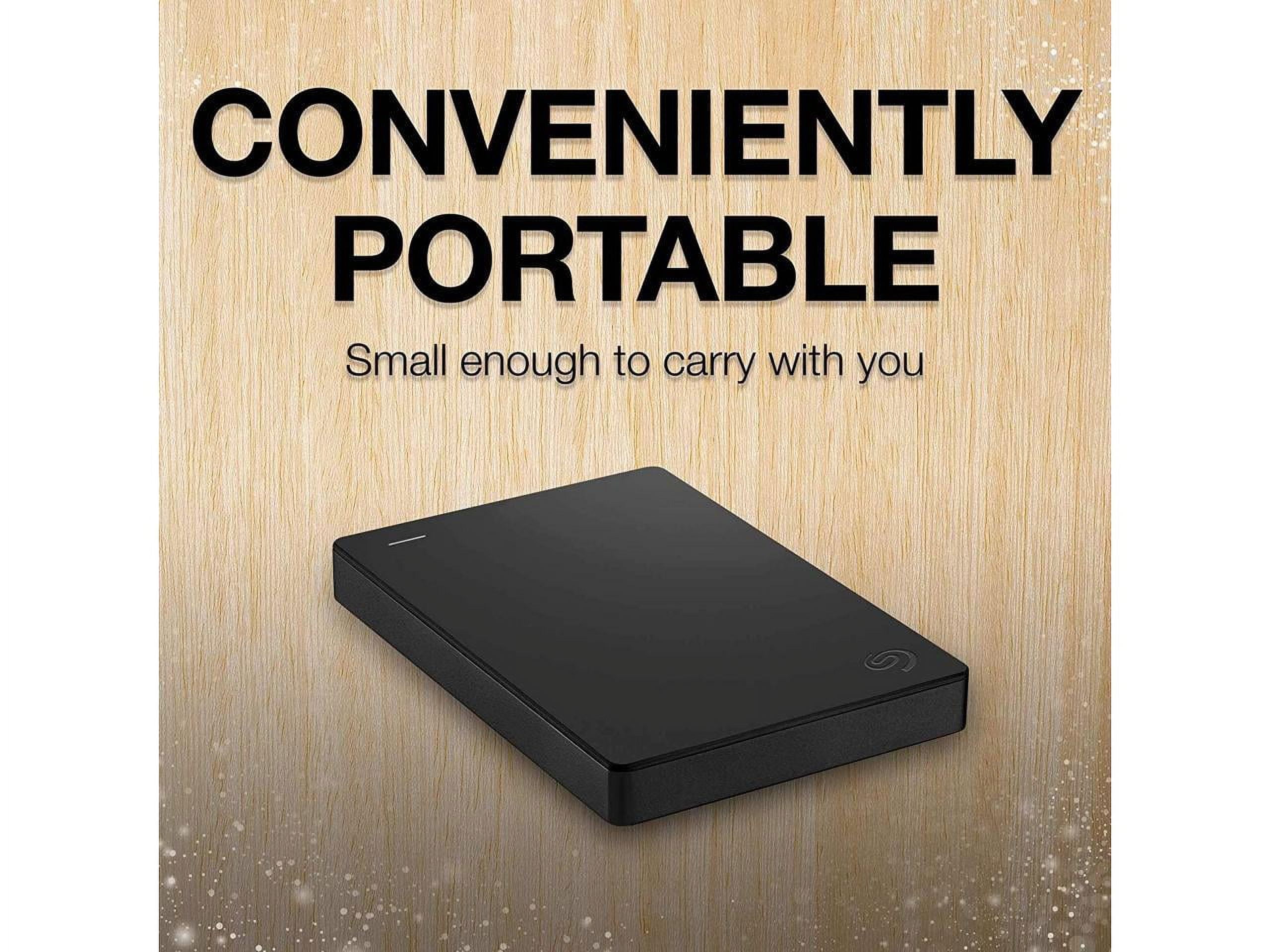
Seagate Portable 2TB External Hard Drive USB 3.0 (STGX2000400)
£27.95
Add to cart
Buy Now
- Hard Drive Capacity: 2 TB
- Internal/External: External
- Brand: Seagate
- Features: This USB drive provides plug and play simplicity with the included 18 inch USB 3.0 cable
- Assembled Product Dimensions (L x W x H): 0.60 x 3.10 x 4.60 Inches

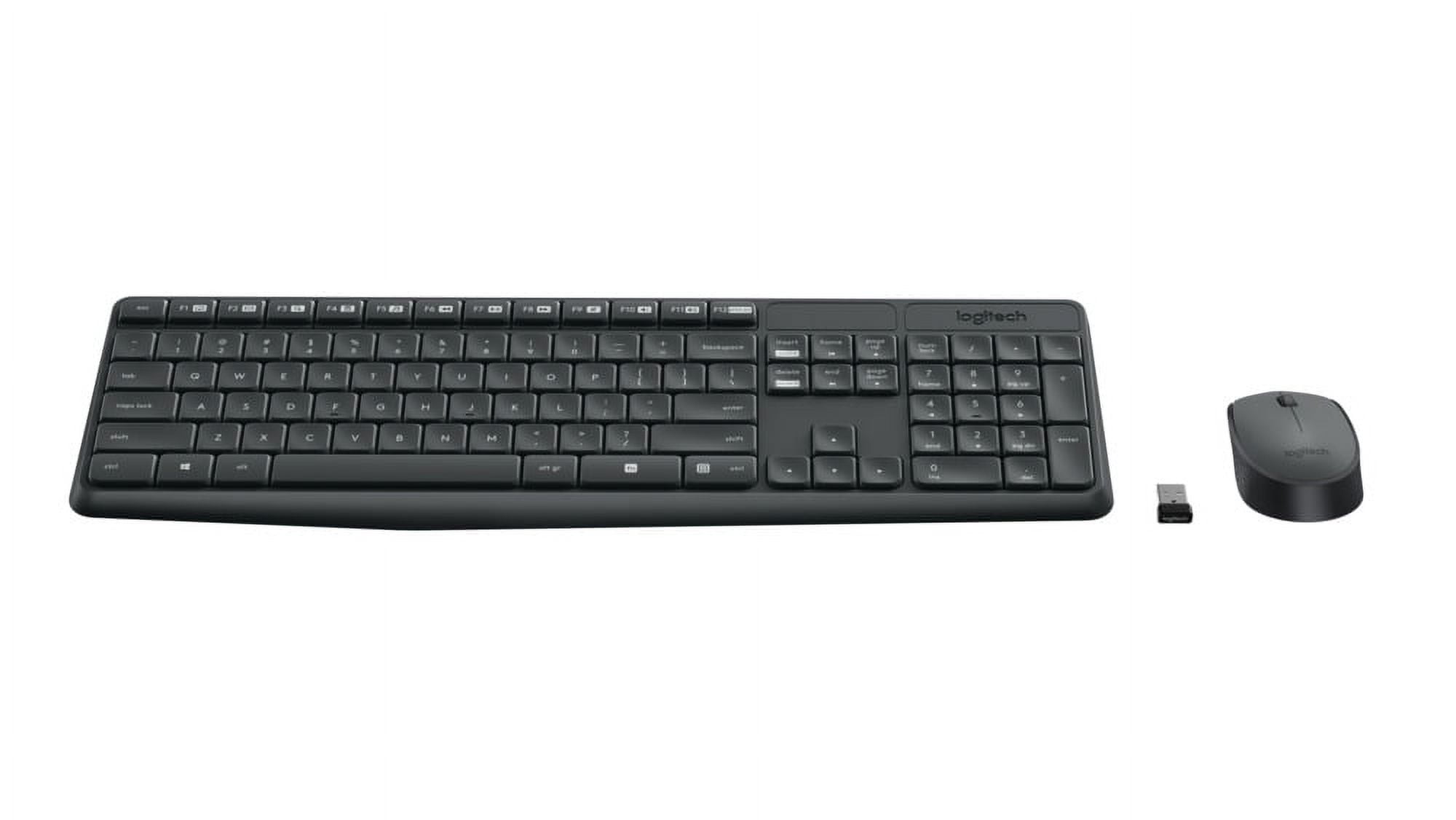
Logitech MK235 Wireless Keyboard and Mouse Combo for Windows, 2.4 GHz Wireless Unifying USB Receiver, 15 FN Keys, Long Battery Life, Compatible with PC, Laptop
£7.74
Add to cart
Buy Now
- Full-size Keyboard: All the keys you need, with a full-sized keyboard layout, number pad and 15 shortcut keys; smooth, curved keys make for a comfortable, familiar typing experience.
- Ambidextrous Mouse: The compact, portable optical mouse is comfortable for both left- and rigt-handed users, and can be taken anywhere your work takes you.
- Plug and Play: The included USB receiver provides a reliable wireless connection up to 33 ft away (3); no need for pairing or software installation to use this keyboard and optical mouse combo
- Extended Battery: Say goodbye to the hassle of charging cables and changing batteries and get up to 3 years of battery life for the keyboard and 1 year for the mouse (1) with MK235
- Durability: The keyboard of the Logitech MK235 wireless keyboard and mouse combo features a spill-proof design (2), anti-fading treatment, and sturdy tilt legs.
- Any Location, Any Occasion: This combo is a reliable and durable partner for your desk at home, or at work


Serena Wolf –
My test product was used on my daughter’s gaming systems. She is big into online games where she plays with other people. I’m not computer savvy, but she knew how to attach this adapter and how to use it to it’s full potential. She said it worked great and that it will make her setup systems work more efficiently.
[...]Gillian Roob –
This is the best thing since sliced bread. No more worrying about what type of port a particular computer has and if it is compatible with my monitors. No more contemplating having to unplug my monitors from either the back of them or the back of my desktop to switch devices. They all have a USB.
I have a laptop that I use for work and can’t be used for anything else and a desktop for personal use. I had an old USB hub that I plugged my mouse and keyboard into as well as this adapter and just unplug from the laptop and plug into the front of my desktop and done. Very occasionally I have to unplug it and plug it in again for everything to be recognized but that is not often. It just works.
[...]Prof. Paolo Fahey DDS –
This is a very handy and useful cord. It can be used on devices that do not have the outlet that you need. Instead of not being able to use the device that you need, you’re able to use this cord to plug your device into, which allows you to use the device with the help of this helpful cord.
[...]Brad McCullough –
I received this adapter free for my honest opinion. I requested to be involved as I have a friend who games a lot and has 3 screens in his room. Once installed he informed me that this was an extremely easy process and he would definitely recommend this
[...]